
YoSin TV Beginner Guide: Getting Started
A beginner guide to YoSin TV on Android, covering first launch, finding cricket and football updates, reading fixtures, and the settings worth checking first.

Blog
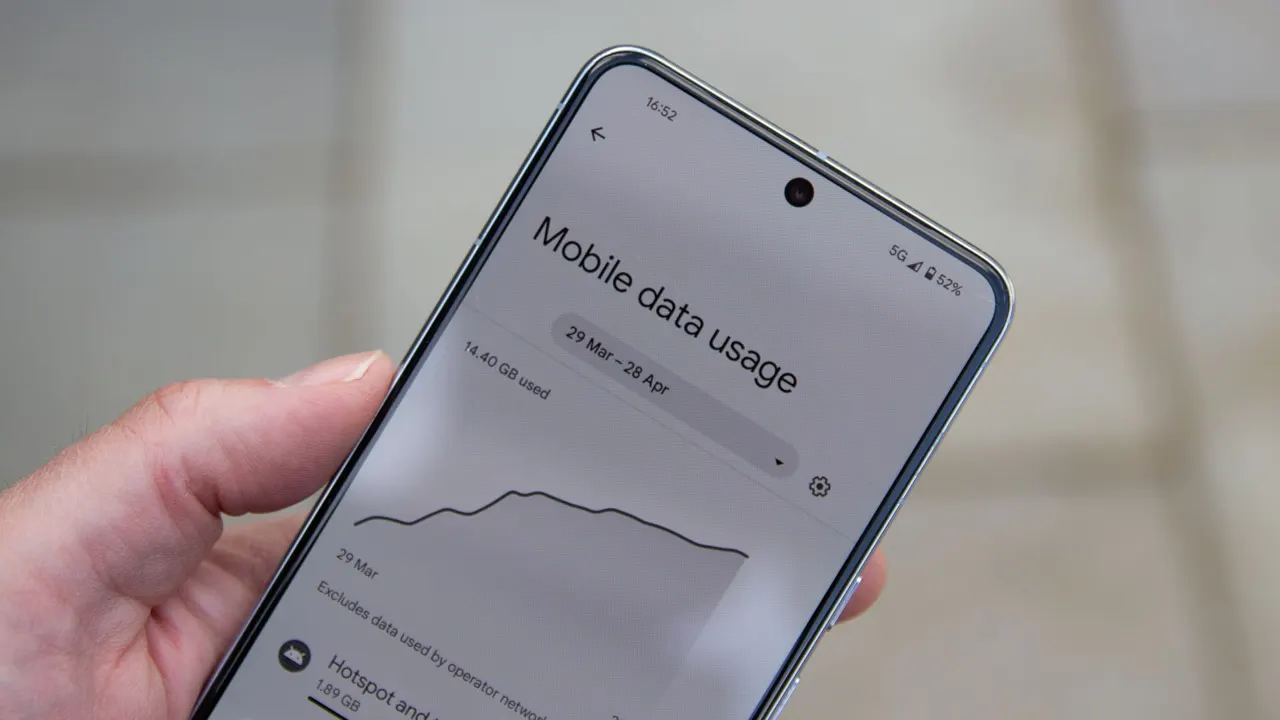
How much mobile data YoSin TV content typically uses, which content types are heaviest, and practical habits for following sports without burning your data plan.
Following sport on mobile data is a budgeting exercise. Fixtures cost almost nothing, stories cost a little, and video shaped content spends your allowance like it is celebrating. Knowing which content costs what turns the app from a data surprise into a planned expense.
This guide breaks usage down by content type, gives you the habits that matter on limited plans, and shows how to check the app actual consumption on your own phone. The version and size facts from the YoSin TV APK main guide cover the download itself: 27.18 MB once, then content data as you browse.
Figures here are honest ranges, not promises. Your phone usage screen is the final authority, and the guide ends by pointing you at it.
Fixtures, schedules, scores, and written stories are the lightest content in the app. A session of checking times and reading previews uses a small amount of data, measured in single megabytes rather than anything alarming.
Live tournament days multiply sessions rather than session size. Twenty cheap checks still add up across a month, but the total stays modest compared with any video habit, as the match schedule guide daily rhythm implies.
Key points:
Story images raise each article cost, and highlights sit at the top of the table entirely: video is simply data in bulk. A highlights habit on mobile data is the one pattern that can move a monthly bill.
Treat highlights as Wi-Fi content whenever you can. The highlights guide makes the same recommendation for quality reasons; your data plan will agree with it for cost reasons.
Android tracks per app data consumption in settings, under the app entry or the network section depending on your version. Check the app figure monthly for one cycle and you will know your personal number instead of any guide estimate.
Compare Wi-Fi and mobile figures while you are there. Most users discover their usage is overwhelmingly Wi-Fi already, which converts a worry into a non issue with evidence.
Download and update the app on Wi-Fi, because the 27.18 MB file and its successors are pointless mobile data spending. Browse fixtures and read stories on data freely; they are cheap. Save highlights, and any long video shaped session, for Wi-Fi.
Android data saver modes and per app background data controls add a safety net. Restricting background data stops the app refreshing when you are not looking, while foreground use stays exactly as responsive as you want.
World Cup and major cricket tournament months are the peak usage season: more checks, more stories, more highlights, all compressed into a few weeks. If your plan renews mid tournament, expect the app share of your usage to spike and plan the Wi-Fi offload accordingly.
Household Wi-Fi, workplace Wi-Fi where permitted, and downloaded patience, waiting to watch highlights at home, are the three tools. None of them reduces how much sport you follow; they only move where the bytes flow.
Every figure in this guide multiplies abroad. Roaming turns cheap fixture habits into real money if your plan treats foreign data harshly, and tournament travel, following your team to an away event, is exactly when usage peaks.
Before travelling, download and update everything on home Wi-Fi, lean on venue and hotel Wi-Fi for highlights, and consider a local data option if the trip is long. The app will happily spend whatever the network allows.
On shared family data plans, one person highlights habit is everyone bill. The per app usage check in this guide doubles as a negotiation tool: real numbers end arguments about whose browsing costs what.
Agreements that work are simple: highlights on home Wi-Fi for everyone, downloads on Wi-Fi, and mobile data reserved for the text weight checking that costs almost nothing. Nobody follows less sport; the bytes just flow at home.
Very little. Fixtures and scores are text weight content, and even frequent daily checks stay in modest monthly territory compared with any video use.
Highlights and other video shaped content, by a wide margin. One highlights habit outweighs weeks of fixture checking.
It can refresh content when open or recently used. Android per app controls let you restrict background data if your plan needs that discipline.
The file is 27.18 MB, worth doing on Wi-Fi once. After that, content browsing choices decide your usage, not the installation.
Data usage in this app is a tale of two content types: text that costs almost nothing and video that costs almost everything. Know those two weights and YoSin TV will never be the app that surprises you at the end of a data month.
Check fixtures on any connection, push highlights and downloads onto Wi-Fi, and read your real per app figure once. After that, the app never surprises a data plan again.
Keep the habits in this guide small and repeatable, and the app will keep repaying them every match week.